
Your mall, online
How it works
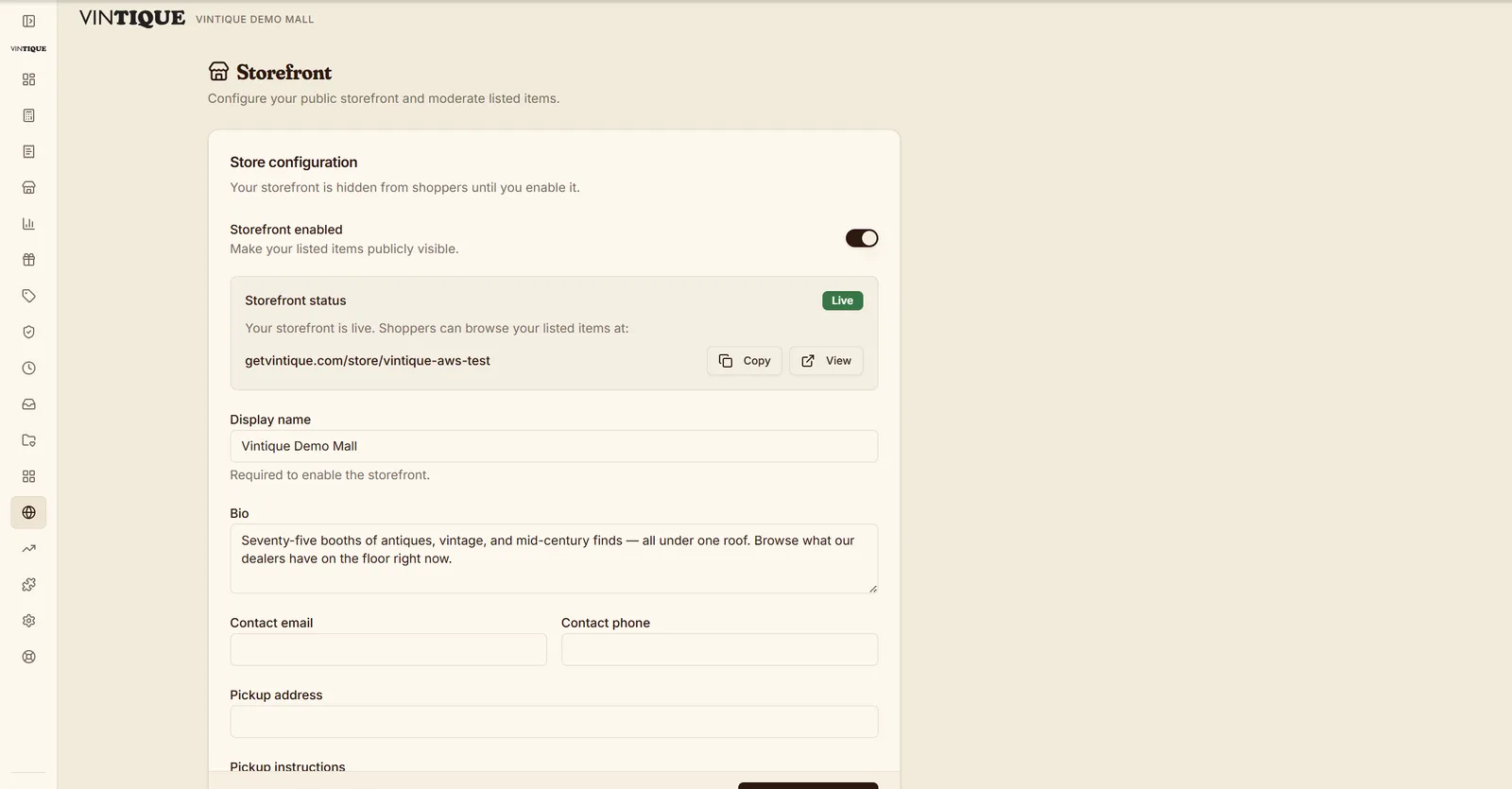
The operator controls whether the storefront is live and what shows. Off by default; on when you're ready.
A booth owner flips an item online from their portal or the iOS app — photo, price, and description come along.
Every item page has a clean link that previews properly in texts and social posts — and cross-lists to marketplaces from the same screen.
What's included
- Public storefront at /store/your-mall
- Item titles and descriptions in the initial HTML
- One-toggle listing for booth owners
- Rich social share unfurls
- Operator gate in Settings
- Marketplace listing drafts and exports for vendors
Questions malls ask
Is this a full online checkout?
It's a storefront and catalog — buyers browse, share, and come in or call. It shows your inventory to the internet without a second e-commerce system to run.
Can I keep some booths or items offline?
Yes — items only appear when a vendor lists them, and the operator gates the whole storefront.
Does it cost extra?
No — the storefront is part of every plan. No Shopify bill on the side.
Go deeper:Antique mall POS vs. ShopifyVendor portal best practices — from Insights