
Price lookup by photo
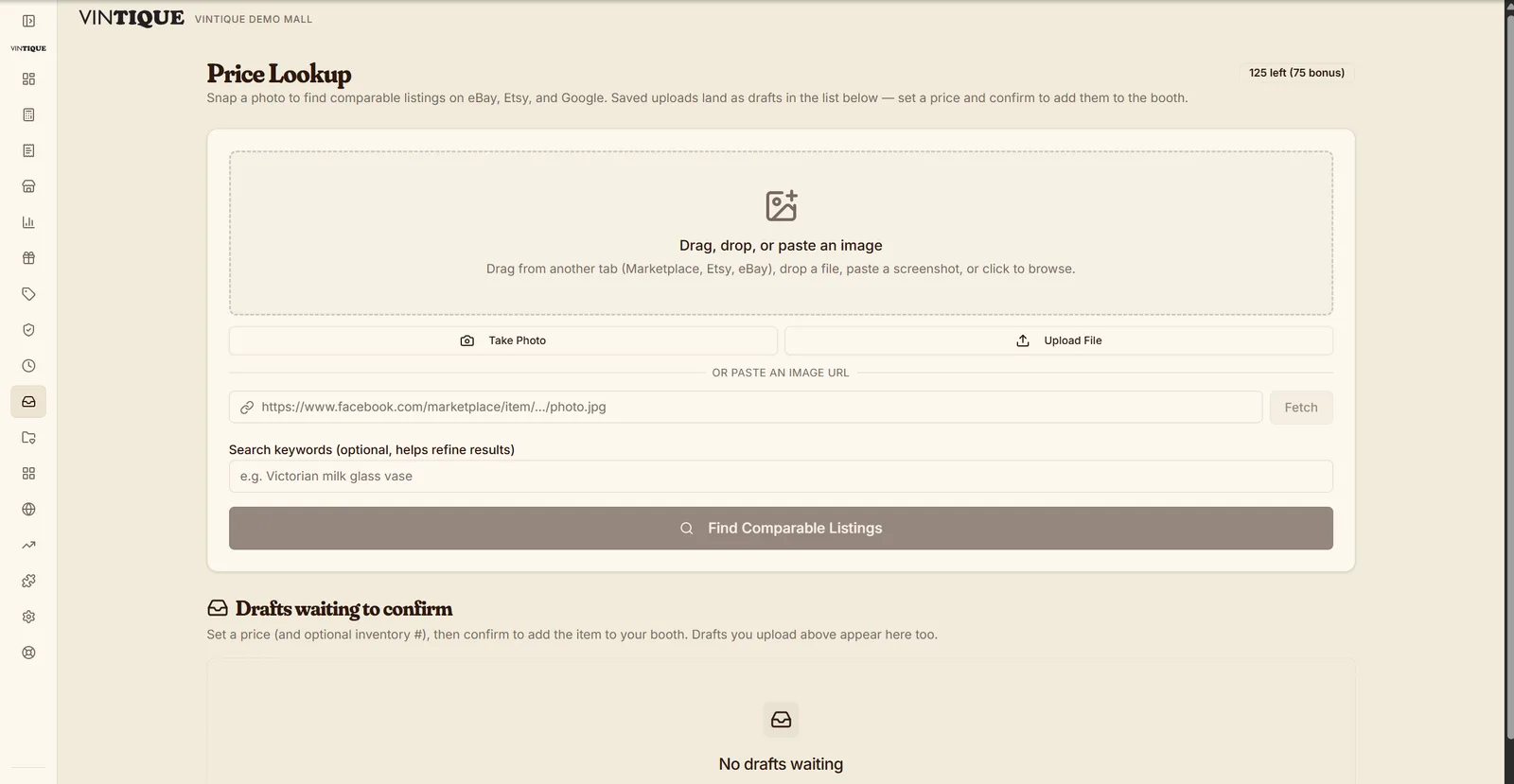
How does photo price lookup work in Vintique?Photograph an item — or drag an image off any browser tab, or right-click a listing in the Chrome side-panel extension — and Vintique pulls comparable listings in seconds, with a suggested price range. A curious estate-sale find becomes a confident tag without leaving the floor, and the item can go straight into inventory from the same screen.
How it works
1
Capture it any of three ways
Snap a photo at the counter or in the iOS app, drag an image in from another tab, or right-click a listing in the Chrome side panel.
2
See the comps
Comparable listings and a suggested range, in seconds — evidence, not a guess.
3
Tag it and move on
Save straight to a booth's inventory with the price you picked; the draft is ready to confirm.
What's included
- Photo lookup at the counter
- Drag-in from any browser tab
- Chrome side-panel extension
- Suggested price ranges from comparable listings
- iOS capture on the floor
- Straight-to-inventory drafts
Questions malls ask
Where do the comparable prices come from?
From live comparable listings across major marketplaces, summarized into a suggested range with the comps shown.
Can my vendors use it too?
Yes — booth owners get lookup in their portal and the iOS app, with their finds landing as drafts in their own booth.
Does it work on my phone?
Yes — the iOS companion app captures photos on the floor; the web version works in any browser.
Go deeper:AI image price lookup for antiquesWhat is an antique mall POS? — from Insights
Price your next find in seconds.
45 days free · lookup on every plan · then from $29/month